Product Details
Related Product Model Recommendations
Payment & Delivery

FAQs

Q1: What is the primary function of the TP1500 Comfort Panel?
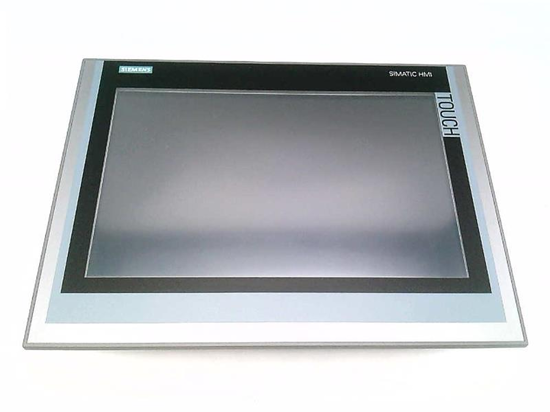
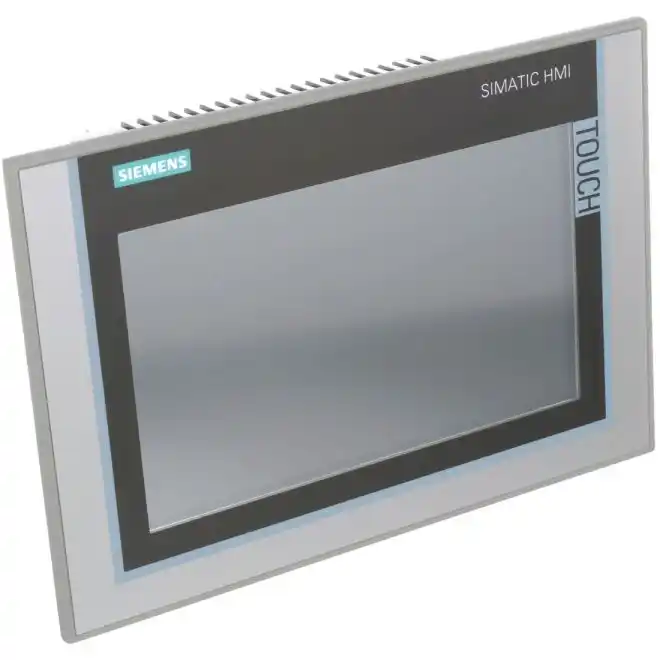
It is a human-machine interface (HMI) panel used for visualizing and controlling industrial processes. It provides a touch-based graphical interface for operators to monitor machine states, adjust parameters, and respond to alarms in automation systems.
Q2: What software is required to configure this panel?
The panel is configured using WinCC Comfort V14 SP1 + HSP or higher within the TIA Portal . It is not configurable with WinCC Basic or older software versions.
Q3: What communication interfaces does the TP1500 Comfort provide?
It features 2 x PROFINET interfaces (one with integrated 2-port switch, one independent), 1 x RS-422/485 interface (MPI/PROFIBUS DP), 2 x USB 2.0 ports, and 1 x USB Mini-B port for project transfer . It also has 2 SD card slots for system and data storage.
Q4: Is this panel still available for purchase?
No. The 6AV2124-0QC02-0AX0 has been discontinued and is no longer available from Siemens. The direct replacements are the TP1500 Comfort V2 (0AX1) and V2.1 (0AX2) . However, migrating a project from 0AX0 to 0AX1/0AX2 requires changing the device type in TIA Portal – a simple OS downgrade or direct backup restore is not possible.
Q5: What are the common failure modes for this panel?
A frequently reported issue is the panel stuck on the boot logo or stuck in the upgrade interface, especially after an interrupted OS update. Recommended troubleshooting steps include: (1) ProSave OS update via USB/Ethernet to reflash the firmware; (2) factory reset through ProSave; (3) if software recovery fails, hardware repair may be required (e.g., flash chip or mainboard replacement).